WooCommerce
WooCommerce photos, sorted.
Connect your WooCommerce store and work straight from the catalog. Nothing on the store changes until you approve it.
Connect your store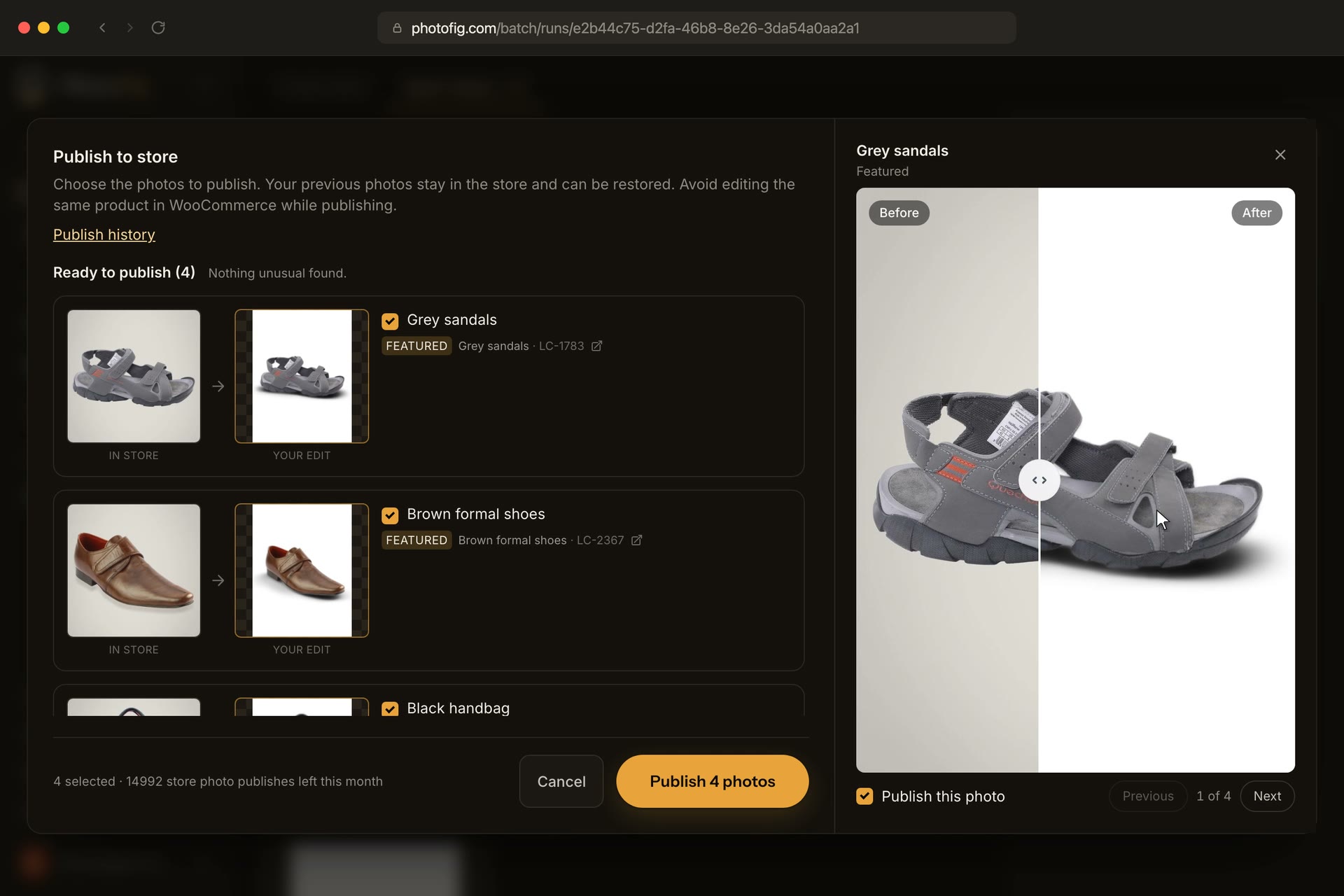
From your catalog to your next store update
Pick by product
Search by name, SKU or category; take featured, gallery or variation photos.
Edit in bulk
Send them to Batch, Catalog Resize or the editor.
Publish back
Review each replacement before it goes live. Restore the previous photo any time.
You choose what goes live.
Compare each edited photo with the image in your store. Publish the replacements you choose, and use Publish history to restore the previous photo when needed.