API
remove.bg API Alternative
The remove.bg self-service API stops on December 1, 2026. Your two options, the one-request change to PhotoFig, a field-by-field map, limits, and cost per image.
If your code calls api.remove.bg, it has a deadline. On December 1, 2026,
the remove.bg website closes at 9:00 CET, and the self-service API stops
accepting requests the same day.
The worst time to deal with that is the last week of November, in the middle of Black Friday traffic. So this is the practical version: what your options are, the smallest change that moves a cutout call to PhotoFig, how each remove.bg field maps, what it costs, and where PhotoFig is the wrong choice.
Quick answer: Leonardo.Ai is the official successor and keeps most remove.bg parameters, but it is JSON in and JSON out, at about $0.10 per image. PhotoFig accepts the same
X-Api-Keyheader andimage_filefield and returns the PNG in the same request, from $15 a month for 2,000 cutouts. It does not read remove.bg’s options such assizeorbg_color, and it is a different model, so test it on your own photos first.
What happens to the remove.bg API on December 1?
From remove.bg’s FAQ, checked November 5, and its API page, checked November 12:
- The self-service API stops accepting requests on December 1, 2026.
- Enterprise API contracts continue as normal. If you have one, nothing changes yet, but ask your account contact what comes next.
- API access moves to Leonardo.Ai, which is also part of Canva.
- Accounts close with the website. Export your invoices and credit usage report before then. Unused pay-as-you-go credits expire.
There is no redirect. Requests to the old endpoint will simply fail, so every caller that still uses it needs to be found and switched before that morning. The PhotoFig vs remove.bg comparison covers the rest of the closure, including subscriptions and refunds.
What are your options?
There are two realistic paths.
| Leonardo.Ai | PhotoFig API | |
|---|---|---|
| Request | JSON only: image as URL or base64 | Multipart or JSON, same field names as remove.bg |
| Response | JSON with a link or base64 | The PNG itself, or a job |
remove.bg options (size, crop, bg_color…) | Most kept, under parameters | Not read; use the resize tool or a template |
| Price | $0.1047 per image | From $15 a month for 2,000 cutouts |
| Beyond the cutout | Upscale, scene generation, video | Marketplace sizes, AI backgrounds, shadows, templates, batches |
| Account | New Leonardo account and key | New PhotoFig account and key |
Leonardo.Ai is where remove.bg sends you, and for callers that lean on
remove.bg’s options it is the closest match. Its migration guide maps size,
type, crop, bg_color, the shadow options and more to the same names
under parameters. What changes is the envelope: a Bearer token, a JSON body
with the image as a URL or base64 (multipart uploads are not supported), a
JSON response instead of raw image bytes, and errors that can come back as
HTTP 200 with an errors array. One detail to catch: Leonardo stores inputs
and outputs in your library by default. Set ephemeral: true if you process
customer images and want the remove.bg behaviour of keeping nothing.
The PhotoFig API is built for product photos. A plain cutout call moves over almost unchanged, as the next section shows. And if your remove.bg call is only the first step, with your own code then padding the product onto a square canvas, adding a background, faking a shadow, and exporting three marketplace sizes, PhotoFig can do all of that in one template.
What is the smallest change that works?
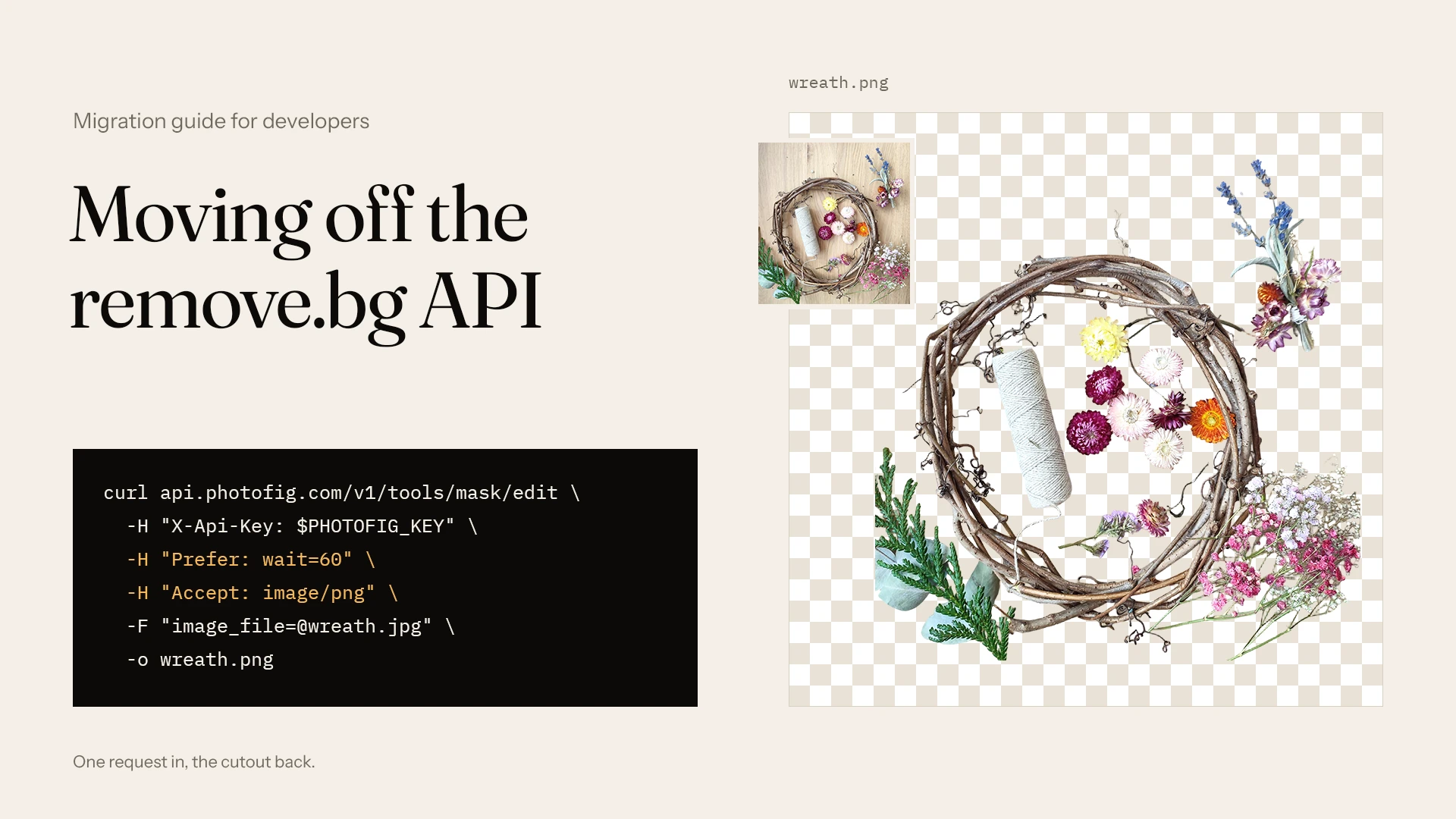
For a call that sends a photo and saves the cutout, three lines change: the URL, and two new headers.
# remove.bg
curl https://api.remove.bg/v1.0/removebg \
  -H "X-Api-Key: $REMOVE_BG_KEY" \
  -F "image_file=@product.jpg" \
  -o product.png

# PhotoFig
curl https://api.photofig.com/v1/tools/mask/edit \
  -H "X-Api-Key: $PHOTOFIG_KEY" \
  -H "Prefer: wait=60" \
  -H "Accept: image/png" \
  -F "image_file=@product.jpg" \
  -o product.png
Prefer: wait=60 asks PhotoFig to hold the response until the cutout is
ready, for up to 60 seconds. Accept: image/png asks for the image itself
instead of JSON. Together they give you what remove.bg gave you: one request,
PNG bytes back. The response also carries X-Width, X-Height, and an
X-Job-Id you can log.
image_url works the same way, as a form field or in a JSON body.
Three things behave differently, and your code should know about them:
- A slow job answers
202. If the cutout is not ready when the wait ends, you get JSON with the job and astatusUrlinstead of the image. The job keeps running. Check the status code before writing the body to a.pngfile. - A failed job answers
422withcode: "job_failed"and the reason. A photo with no clear subject is the usual cause. - Errors are
{ "code", "message" }, not anerrorsarray. Thecodevalues are stable, so match on those.
Add an X-Idempotency-Key header if your worker retries. A repeat with the
same key waits for the first job instead of starting, and charging, a second
one.
How does each remove.bg field map to PhotoFig?
The PhotoFig mask tool takes no parameters. It finds the product, cuts it
out, and returns a transparent PNG. remove.bg’s options are not read, so a
call that sends them still works, but they have no effect.
| remove.bg | PhotoFig | Notes |
|---|---|---|
POST /v1.0/removebg | POST /v1/tools/mask/edit | Add Prefer: wait=60 for the result in the same response |
X-Api-Key header | X-Api-Key, or Authorization: Bearer | Keys are created in the app, on every plan |
image_file | image_file | JPEG, PNG, WebP, or HEIC, up to 10 MB |
image_url | image_url | Must be a public HTTP(S) URL |
image_file_b64 | none | Send multipart, or create an upload session and PUT the bytes |
size | none | Up to 4096 px on the long side |
format | none | PNG with transparency |
type, type_level | none | Product detection is automatic; no X-Type header |
channels=alpha | none | The PNG carries the alpha channel |
crop, crop_margin, scale, position | resize tool, or a template | Exact canvas size, fit or fill, alignment, padding |
bg_color | resize with background, or a template | #RRGGBB, transparent, or a gradient |
bg_image_url, bg_image_file | ai-bg tool | Generates a scene around the product instead of pasting a photo |
shadow_type, shadow_opacity | ai-shadows tool, or a template | One AI credit per photo |
roi, semitransparency | none | |
GET /v1.0/account | GET /v1/account | Plan limits, API cutouts used and left, AI credits |
X-Credits-Charged | none | One API cutout per completed job; failed and cancelled jobs cost nothing |
429 with Retry-After | 429 with Retry-After | Plus the X-RateLimit-* headers |
{ "errors": [...] } | { "code", "message" } |
When should you use jobs and webhooks instead?
Holding a connection open is the simplest thing to port, but it is not always
the best fit. Leave out the Prefer header and the same endpoint answers at
once with a job:
{
  "id": "3f0c6a8e-5b7d-4c1e-9d2a-7e4b1c9f0a12",
  "tool": "mask",
  "status": "queued",
  "statusUrl": "https://api.photofig.com/v1/jobs/3f0c6a8e-5b7d-4c1e-9d2a-7e4b1c9f0a12",
  "resultUrl": null
}
Then either poll statusUrl, which does not use your allowance for new
requests, or register a webhook once and let PhotoFig call you:
curl https://api.photofig.com/v1/webhooks \
  -H "X-Api-Key: $PHOTOFIG_KEY" \
  -H "Content-Type: application/json" \
  -d '{"url": "https://example.com/hooks/photofig",
       "events": ["job.completed", "job.failed"]}'
The response includes a signing secret. It is shown only once. Every
delivery carries PhotoFig-Webhook-Timestamp and
PhotoFig-Webhook-Signature: an HMAC-SHA256, made with that secret, of the
timestamp, a dot, and the raw request body. In Node with Express:
import crypto from "node:crypto";
import express from "express";

const app = express();
const secret = process.env.PHOTOFIG_WEBHOOK_SECRET;

app.post("/hooks/photofig", express.raw({ type: "application/json" }), async (req, res) => {
  const timestamp = req.get("PhotoFig-Webhook-Timestamp") ?? "";
  const received = (req.get("PhotoFig-Webhook-Signature") ?? "").replace(/^v1=/, "");
  const expected = crypto
    .createHmac("sha256", secret)
    .update(`${timestamp}.`)
    .update(req.body) // the raw bytes, not re-serialized JSON
    .digest("hex");

  const fresh = Math.abs(Date.now() / 1000 - Number(timestamp)) < 300;
  const valid = received.length === expected.length &&
    crypto.timingSafeEqual(Buffer.from(received), Buffer.from(expected));
  if (!fresh || !valid) return res.sendStatus(401);

  res.sendStatus(204); // answer within 10 seconds, then do the work

  const event = JSON.parse(req.body);
  if (event.event === "job.completed") {
    const png = await fetch(event.data.resultUrl).then((r) => r.arrayBuffer());
    // save png wherever your remove.bg results used to go
  }
});
Use this path when nobody is waiting on the request: nightly imports, supplier feeds, anything behind a queue. A few things that will save you a debugging session:
- Answer fast. Anything other than a 2xx within 10 seconds is retried after 1 minute, 5 minutes, 30 minutes, 2 hours, and 12 hours.
- Ignore repeats.
PhotoFig-Webhook-Idstays the same across retries, so store it and skip events you have already handled. - Download within a day.
resultUrlis a signed link, and results are kept for 24 hours after the job finishes. Copy the PNG to your own storage. - Test it.
POST /v1/webhooks/{id}/testsends awebhook.testevent to your endpoint.
What if remove.bg was only the first step?
Many remove.bg integrations do more work after the cutout: center the product on a square, add padding, set a white background, export 2000 px for Amazon and 1200 px for the store. That is usually where the real code lives.
In PhotoFig, that whole chain is a template: background removal,
placement and scale, padding, a solid or gradient background, an optional
shadow, export sizes, and the output format. You can build the template in the
app and use it from the API, or create it with POST /v1/templates. Templates
made either way open and edit in both places.
Then send the photos as a batch: create the batch, upload the photos,
process it with the template, and wait for one batch.completed webhook. Each
photo uses one API cutout, whatever the template does, and downloading the
results, one by one or as a ZIP, costs nothing more.
If you want to understand why matching product scale matters more than a fixed margin, I wrote about it in how to make product photos consistent across a catalog. The sizes each marketplace expects are in the product photo sizes cheat sheet.
What limits should you plan around?
Be honest with your own numbers here, because this is where PhotoFig stops fitting.
- It is a different model. PhotoFig’s cutout model is trained on product photos. On your photos its edges will differ from remove.bg’s, sometimes better and sometimes worse. Compare them while you still can.
- New requests per minute. Requests that start or change work count toward a per-minute allowance: 5 on Free, 10 on Starter, 20 on Pro, 30 on Studio, and 30, 60, or 120 with an API block. Reading job status does not count. remove.bg was rated for up to 500 one-megapixel images a minute.
- Jobs in flight. The same numbers cap how many API jobs can be queued or
running at once. Past that, new edits get
429 too_many_jobswithRetry-After, so keep a queue on your side. - The 60-second wait. A cutout normally takes a few seconds. If you send
a burst, the later ones can outlast the wait and answer
202. - Input. Up to 10 MB per file.
- Output. A PNG up to 4096 px on the long side, which is double the 2000 px square most marketplaces work well with. remove.bg could return up to 50 megapixels as JPG or WebP; its PNG was capped at 10 megapixels.
- No per-call options. If you rely on
size=preview,type=car, orroi, there is no equivalent.
If you really send thousands of images a minute, or need 50-megapixel output, PhotoFig is the wrong tool. Go to Leonardo.Ai, or talk to remove.bg about an enterprise contract.
How do the costs compare?
Every PhotoFig plan includes a monthly allowance of API cutouts: 25 on Free, 100 on Starter ($9.95), 500 on Pro ($29.95), and 2,000 on Studio ($79). An API block adds more to any plan, the Free plan included, and is billed monthly beside it:
| API block | Cutouts a month | Price a month | Per cutout |
|---|---|---|---|
| API 2k | 2,000 | $15 | $0.0075 |
| API 10k | 10,000 | $49 | $0.0049 |
| API 50k | 50,000 | $149 | $0.0030 |
Against Leonardo’s listed price, using the Free plan plus a block:
| Cutouts a month | Leonardo.Ai | PhotoFig |
|---|---|---|
| 25 | about $3 | $0 (Free) |
| 200 | about $21 | $15 (API 2k) |
| 2,000 | about $209 | $15 (API 2k) |
| 10,000 | about $1,047 | $49 (API 10k) |
| 50,000 | about $5,235 | $149 (API 50k) |
Leonardo’s figure is $0.1047 per image from its migration guide, before any volume pricing it may offer. For reference, 200 cutouts a month cost $39 on a remove.bg subscription in October.
Two things to know about the PhotoFig side. The allowance is monthly and does
not roll over, so a block is a poor fit for 40 cutouts one month and 9,000 the
next. And mask, ai-bg, and ai-shadows each use one API cutout, because
each removes the background; the last two also use one AI credit. resize
uses neither.
A migration checklist for November
- Find every caller. Search your code and your automation tools (Zapier,
Make, scripts on old servers) for
api.remove.bg. - Export your remove.bg history while the account page still works: invoices and the credit usage report.
- Use up pay-as-you-go credits. They expire on December 1.
- Compare cutouts on your hardest products. Glass, mesh, chains, fur, white on white. Run ten of them through remove.bg and the replacement while both still answer, and compare the edges at full size. You cannot do that comparison after December 1.
- Handle the new status codes.
202means still running,422means the job failed,402means the month’s cutouts are used up. - Switch behind a flag. Keep the remove.bg path until the new one has handled a few days of real traffic.
- Retry correctly. On
429, wait forRetry-After. On5xx, back off exponentially. Send the same idempotency key with every retry. - Remove the old key once nothing calls it.
If you are also looking at Photoroom, the PhotoFig vs Photoroom comparison covers how the two differ for catalog work.
Which should you choose?
If your calls depend on remove.bg’s options, or you need its output sizes, move to Leonardo.Ai. The parameters carry over and it is the official path.
If you send a product photo and want the cutout back, PhotoFig is the smaller change and costs a fraction per image. And if the cutout is followed by sizing, backgrounds, shadows, and exports that your own code does today, a lot of that code can go away with it.
Either way, start this month. The API documentation and the OpenAPI file have every endpoint, field, and error code.
Sources
- remove.bg, remove.bg is moving to Canva, API, enterprise, and account questions, checked November 5, 2026.
- remove.bg, API documentation, endpoint, parameters, output limits, rate limits, and the December 1 notice, checked November 12, 2026.
- remove.bg, Pricing, subscription tiers in USD, checked October 3, 2026.
- Leonardo.Ai, Migrate from the remove.bg API to Leonardo.Ai, endpoints, parameter mapping, JSON-only requests,
ephemeral, and price per image, updated September 2, 2026, checked November 12, 2026. - PhotoFig, API documentation, OpenAPI file, and pricing, checked November 12, 2026.